 Mesh+ Notes
How Mesh+ flashes Meshtastic firmware onto an nRF52 node over a USB cable
Mesh+ updates Meshtastic nRF52 radios (Heltec T114, RAK4631) by sending the official update package over USB in 1,433 packets. What the code does, with numbers from firmware 2.7.26.
On this page
- What you tap, and what happens next
- Why the app watches for a different USB device
- The protocol: HCI packets inside SLIP frames
- What gets sent, in order
- What happens when it fails
- The Bluetooth path is separate, and marked experimental
- Why bother when the official tools exist
- Try it, or read it
- Frequently asked questions
Mesh+ updates the firmware of a Meshtastic radio with an nRF52 chip (a Heltec T114 or a RAK4631, for example) by downloading Meshtastic’s own update package, rebooting the node into its bootloader and sending the new image over the USB cable. It is about 350 lines of Kotlin in Firmware.kt, and there is no computer or separate flashing tool involved. This post walks through what those lines do, with numbers from the current stable firmware, because the protocol is old and strict, and the app’s version is a port of Adafruit’s Python tool rather than something written from a spec. Everything here was read from the repository’s main branch (commit 6967418, 2 November 2026) and checked against Meshtastic’s published files on 3 November 2026. I did not flash a radio while writing this, so the timings come from the code’s constants and the README, not from a stopwatch.
What you tap, and what happens next
In Node settings, Mesh+ reads the node’s board and firmware version and asks api.meshtastic.org/github/firmware/list for the releases Meshtastic publishes. Today that list has two stable releases, 2.7.26.54e0d8d and 2.7.15.567b8ea, and alphas up to 2.8.2.4c89b69. If a newer stable version exists the button says Update to 2.7.26, otherwise Up to date. Firmware options lists every version for your board, with pre-releases behind a switch, so you can also go back one release.
Comparing versions is less trivial than it sounds, because Meshtastic versions end in a commit hash (2.7.26.54e0d8d). The app compares only the first three numbers and ignores the hash, and a unit test pins the one case that matters to me: if you run an alpha such as 2.8.0, the app does not offer you the older stable 2.7.26 as an “update”.
When you confirm, the app then does five things in order:
- It downloads
firmware-<board>-<version>-ota.zipfrom themeshtastic.github.iorepository. For a T114 on 2.7.26 the file is 734,689 bytes and the URL answers with a plain 200. - It opens the zip and reads
manifest.jsonto find the two files that matter: a 14-byte.dat(the “init packet”) and the.binapplication image, which is 733,664 bytes for the T114. - It asks the running firmware to reboot into the bootloader.
- It waits for a new USB device to appear.
- It speaks Nordic’s serial DFU protocol to that device until the image is written, and then the node restarts on the new firmware.
The README says the whole thing takes about a minute and a half. Your settings, rooms and messages stay: the start packet declares an application-only update, so the bootloader and the radio’s stored configuration are not part of what gets written.
Why the app watches for a different USB device
The step that surprised me most is step 4. A node that is in its bootloader shows up on USB as a different device from the node that is running Meshtastic: the code’s own comment gives 239a:0071 for the bootloader and 239a:4405 for the firmware. Waiting for “a serial device” would not be enough, because a node that merely restarts (a settings change restarts it too) looks exactly like one that is ready to be flashed. So the code remembers the vendor and product ids before it asks for the reboot, and only accepts a device whose ids it did not see before. When the user retries after a failure, or rescues a node that is already stuck in update mode, there is nothing to compare with, and the app takes the first serial device it can talk to.
Android adds a second wait on top of that: the bootloader is a new device, so Android asks for USB permission again. The app waits up to 60 seconds for the tap.
The protocol: HCI packets inside SLIP frames
Every Meshtastic nRF52 board uses the Adafruit nRF52 bootloader, which speaks what Nordic calls legacy serial DFU (SDK 11). Each message is an HCI packet wrapped in SLIP framing, which looks like this:
- A four-byte header holds a 3-bit sequence number, the sequence number of the packet the sender expects next, two flag bits (data integrity check and reliable delivery), a packet type of 14, the payload length across 12 bits, and a checksum byte that makes the four header bytes add up to zero.
- After the payload come two bytes of CRC-16 (the CCITT-FALSE variant, as in nrfutil’s
crc16.py). - The whole frame starts and ends with
0xC0, and any0xC0or0xDBinside it is replaced by a two-byte escape.
The sequence number is only 3 bits, so it wraps after seven packets, and the bootloader answers each packet with a small acknowledgement frame. The app waits up to one second for two 0xC0 markers (an ack is exactly one frame) before it sends the next packet.
I did not write this from the spec, because there is no spec worth the name. It is a port of dfu_transport_serial.py from Adafruit’s adafruit-nrfutil, and the unit tests in DfuTest.kt hold the expected bytes copied from that tool’s own util.py and crc16.py. One of them is the textbook check: the CRC of the ASCII string 123456789 is 0x29B1. I ran that algorithm separately in Python on 3 November 2026 and got 0x29b1, then computed the CRC of the T114 image from the real package and got 39265, the same firmware_crc16 value that the package’s manifest declares. A framing mistake here can leave a node in its bootloader, so I wanted the bytes to be checked against something I did not write.
What gets sent, in order
The conversation has five kinds of packets, and the code reads like the list:
- Start (packet type 3) carries the update mode and the sizes of the softdevice, the bootloader and the application. Only the application size is non-zero: 733,664 for the T114’s 2.7.26 image. The app resends this packet, with the same sequence number so it is never applied twice, up to eight times, because the bootloader can take a moment to start listening right after it appears on USB.
- Erase wait. The bootloader erases flash pages before it accepts data, and it does not say when it is done, so the app sleeps. The formula is
(size / 4096 + 1) × 90milliseconds, with a floor of 500, where 90 is the code’s rounding of 89.7 ms per 4 KB page. For the T114 image that is 16.2 seconds. - Init packet (type 1) is the
.datfile followed by two zero bytes. - Data (type 4) is the image in 512-byte chunks, 1,433 of them for this image. After every eighth chunk the app waits 103 ms, which is 1,024 words at 100 µs each, the time the chip needs to write a flash page. That adds up to 180 pauses and about 18.5 seconds spent just waiting for flash.
- Stop (type 5) tells the bootloader to validate the image and start it. The USB device disappears and the node comes back as a Meshtastic node in less than a second on a T114, and the app waits up to 40 seconds to see that happen.
The sleeps make the protocol look primitive, and it is, but they are what the reference tool does, timings included, so the app does the same.
What happens when it fails
An update that stops halfway is the case that decides whether people trust a firmware updater, so most of the code is about it.
If the start packet is never acknowledged, the node is still running its old firmware, and the app says so and does nothing else. Once the bootloader has answered even once, the app marks the node as “in update mode”, and the node stays in that mode until a complete image is written. From then on a failed transfer is retried automatically, up to three attempts with a two-second pause, because a USB permission prompt popping up mid-transfer or a sagging power supply are both ordinary reasons for a hiccup. If all three attempts fail, the connect screen shows Node stuck in update mode?, which runs the same flow without asking the firmware to reboot first.
Retries cover a hiccup, not a dead cable, so start with a charged phone and a cable you trust.
The Bluetooth path is separate, and marked experimental
Since v0.2 (7 October 2026) there is also an experimental path over Bluetooth, which uses Nordic’s own Android DFU library instead of my port. It asks the firmware’s DFU helper service to reboot into the bootloader’s Bluetooth mode and keeps the pairing, so you don’t type the PIN again. It has one workaround worth knowing about: the stock Adafruit bootloader answers a request for a large Bluetooth packet size with 23 and then fails with “OPERATION FAILED”, a known incompatibility, so the app forces 20-byte packets. Slow, but it works around the bug. The USB path stays the one I recommend, and it is the one the README and the comparison page describe.
ESP32 boards (a Heltec V3, for instance) use a different mechanism. Mesh+ does not update those, and the README sends their owners to flasher.meshtastic.org.
Why bother when the official tools exist
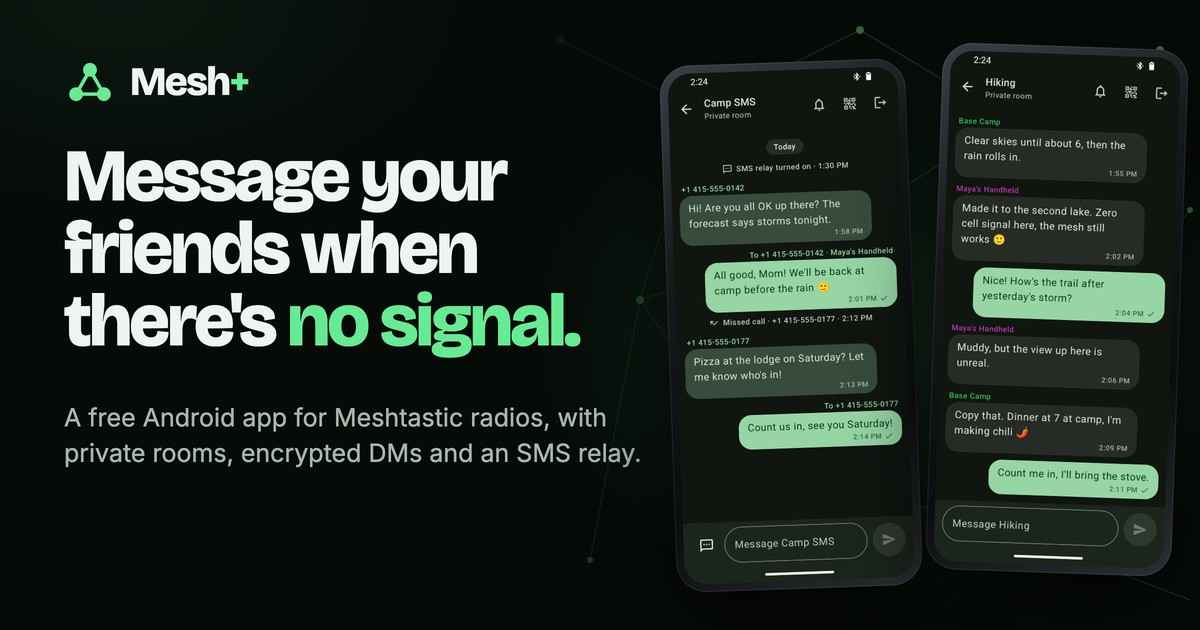
Meshtastic’s web flasher at flasher.meshtastic.org is the standard way to flash a node, and if you already use it there is no reason to change. What Mesh+ adds is the same update as one tap in the app you already chat with, from the phone that is plugged into the node, in the field, without a laptop. The updater needs only USB access and a download, so it is part of the Google Play build as well as the APK (the SMS relay is the one feature that only the APK has).
The whole app is about 3 MB (the release APK of v0.4.4 is 3,234,025 bytes), and the DFU port is a small part of that. The only dependencies it adds are usb-serial-for-android 3.11.0 for the cable and Nordic’s DFU library 2.11.0 for the Bluetooth path.
Try it, or read it
The source is MIT-licensed at github.com/backmeupplz/meshtastic-plus, and the updater is app/src/main/java/com/backmeupplz/meshtasticplus/Firmware.kt. The app is Mesh+ for Android, free on Google Play and as an APK. Mesh+ is independent and not affiliated with Meshtastic LLC; Meshtastic® is a registered trademark of Meshtastic LLC.
Frequently asked questions
Does Mesh+ update ESP32 Meshtastic nodes? No. It updates nRF52 boards such as the Heltec Mesh Node T114 and the RAK4631. For ESP32 boards use flasher.meshtastic.org.
Will an update erase my messages and settings? The update replaces the application image only. The README states that settings, rooms and messages stay.
What if the update stops halfway? The node stays in its bootloader. Mesh+ retries up to three times by itself, and Node stuck in update mode? on the connect screen finishes the job.
Can I install an older firmware? Yes. Firmware options lists every version Meshtastic publishes for your board, including older stable releases and, if you switch it on, pre-releases.